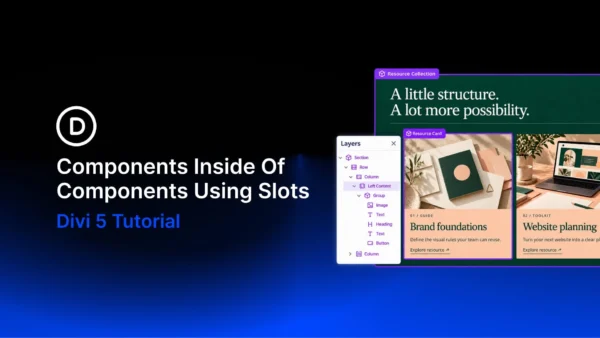
A resource section can share one introduction across several pages while presenting different content beneath it. Reusing both the section and its cards lets you maintain those designs separately. With Components and Slots in Divi 5, you can combine those… Continue Reading →

Divi 5 has a new way to build pages in the Visual Builder: Divi AI agents. Instead of working through settings panels one change at a time, you describe what you want in a conversation, and the agent carries it… Continue Reading →

Most grid layouts fill every available cell. Leaving some cells empty can create a more interesting composition, with space that guides the eye through the content. With CSS Grid in Divi 5, Grid Offset Rules let you position items precisely… Continue Reading →

Building faster in the Divi 5 Visual Builder means spending less time opening panels and repeating the same setup. The Command Center handles actions you can name, such as adding modules, applying presets, and opening settings. Workspaces save the panel… Continue Reading →

Divi AI agents can build, edit, and restyle your pages from plain-language instructions. Quick edits can cost very little, while full layout generations and advanced multi-step tasks vary in cost depending on the models used and the work involved. We… Continue Reading →

Divi AI Agents can help you understand your website as well as build it. With the Ask feature in Divi 5, you can ask about settings and layout approaches and get guidance based on the page you’re working on, all… Continue Reading →
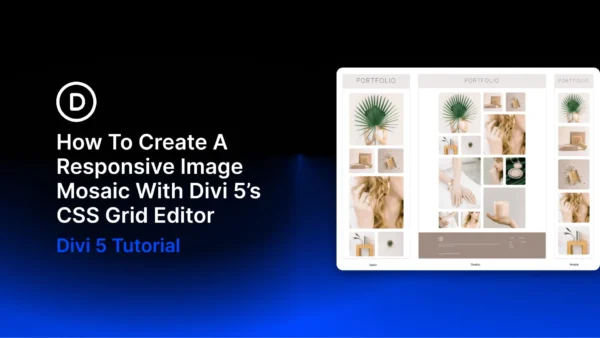
An image mosaic combines photographs of different sizes in one connected grid. Larger tiles highlight selected images, while smaller tiles fill the spaces around them. With Divi 5’s CSS Grid Editor, you can build this arrangement visually, resizing and positioning… Continue Reading →

Sometimes a reusable section needs more than a different heading or button label. One page might need a workshop schedule, while another needs a booking form. You still want the surrounding design to look consistent and update from one place…. Continue Reading →

A bento grid brings images, headlines, supporting details, and calls to action into one arrangement of differently sized cards. Shared edges and consistent gaps hold the layout together, while the larger cards give important content more room. With Divi 5‘s… Continue Reading →
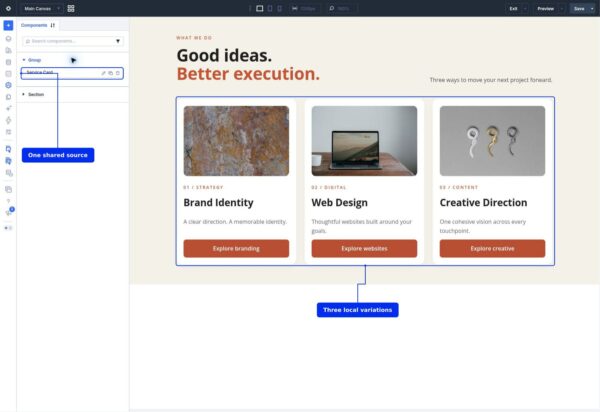
Components in Divi 5 let you reuse a design, update it from one saved source, and choose which content each use can change. We’ll build three service cards for Brand Identity, Web Design, and Creative Direction. They share their spacing,… Continue Reading →

