

When someone types in your main domain, your WordPress homepage is the first thing they see. Depending on how you set it up, WordPress can greet visitors with your latest blog posts or showcase a specific Page you’ve chosen as your front door.
Most business websites benefit from a static homepage. With this setup, you control your main message, highlight calls to action, showcase customer proof, and guide visitors where you want them to go. Best of all, you don’t have to worry about the page changing every time someone publishes a new post.
The good news? Setting up a static homepage in WordPress only takes a few minutes.
How Do You Set a Homepage in WordPress?
Here’s how you can set a static homepage for your WordPress site.
Start by creating and publishing a Page that will serve as your homepage. If you plan to publish blog posts, make a second Page for your blog. Next, head over to Settings and choose Reading.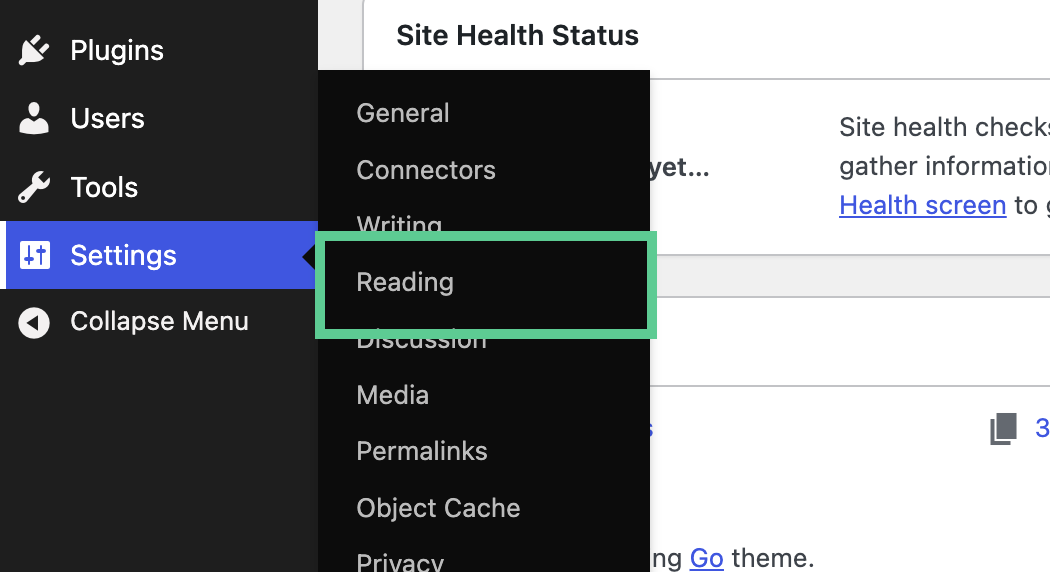 Look for the section labeled ‘Your homepage displays’ and select the option for a static page. From there, pick your Home Page from the dropdown menu. If you created a Blog Page, select it under

